
You finish an online application for a hoikuen, a licensed daycare or similar childcare facility, see the “Submission complete” message, and close the page. No queuing at a counter, no carrying a stack of paperwork with a child in tow. For families with young children, applying online is a genuine help.
Then, a few months later, your employer says: “We need a copy of your daycare application for the childcare leave benefits extension.”
And there is no paper copy anywhere in the house.
Here is the short answer first. What you need to keep is a complete record of everything you actually submitted to your municipality. Not just the confirmation email or the receipt number, but something that shows the contents of your application: print-ready data, a PDF, or a printout of the application screen. If you revised your application after submitting it, you need the updated record too.
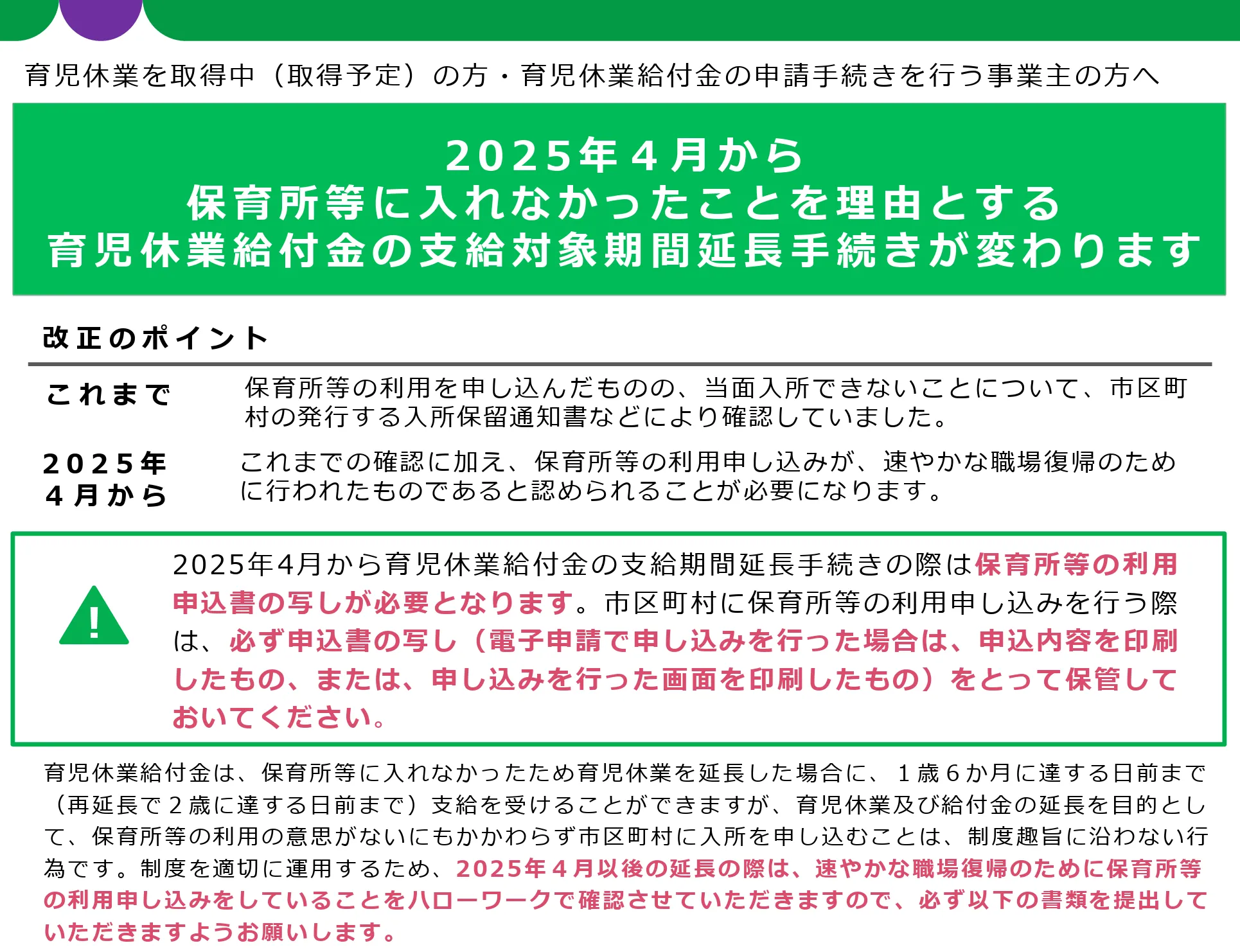
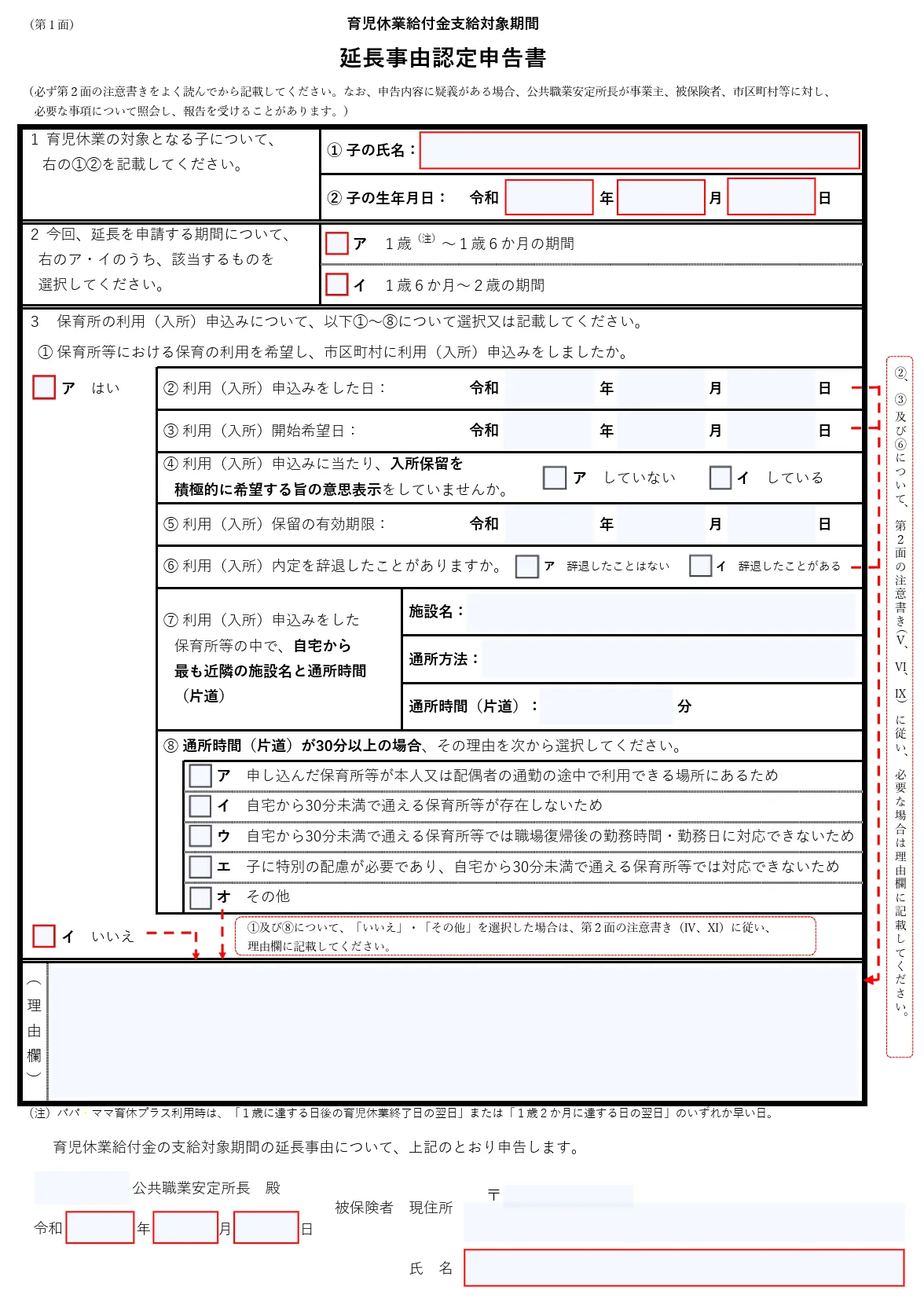
Since April 2025, extending the payment period for childcare leave benefits (ikuji kyugyo kyufukin) on the grounds that your child could not get a daycare place requires two documents in addition to the notice of deferred enrollment you already needed: a copy of the daycare application you filed, and a declaration form certifying the grounds for the extension (育児休業給付金支給対象期間延長事由認定申告書). Hello Work, the public employment security office, also checks whether you applied for childcare intending to return to work without undue delay.
(Source: Ministry of Health, Labour and Welfare, “Procedures for extending the childcare leave benefit payment period” [Japanese])
If you have already missed the chance to save a copy, work through your device files, your confirmation email, and your online application history, in that order. Then ask your municipality whether it can provide a copy, and ask your employer’s HR contact about the submission format and the deadline. Whether a copy can be reissued differs by municipality, so do not assume one will always be available.
Table of Contents
Start by saving a record of the application you actually submitted
What you want on hand for a childcare leave benefits extension is the full content of what you submitted. That serves a different purpose from a notice of receipt, so treat the two separately.
The Ministry of Health, Labour and Welfare (MHLW) lists three documents as the standard requirement.
- The declaration form certifying the grounds for extending the childcare leave benefit payment period
- A copy of the daycare application you submitted to your municipality
- A municipal notice showing that childcare was unavailable, such as a notice of deferred enrollment (入所保留通知書) or a notice that enrollment was denied (入所不承諾通知書)
The copy of your application does not need the municipality’s receipt stamp, as long as the contents match the information you actually submitted. For online applications, what is expected is a printout of the application contents, or a printout of the screen on which you applied.
(Source: Ministry of Health, Labour and Welfare, Prefectural Labour Bureaus and Hello Work, “From April 2025, the procedure for extending the childcare leave benefit payment period when a child cannot be enrolled in daycare is changing” [Japanese])
How is extending childcare leave different from extending the benefit?
Extending your childcare leave and extending the payment period for childcare leave benefits are related, but they are not the same procedure.
The length of your childcare leave is something you notify your employer about. Childcare leave benefits, on the other hand, are an employment insurance benefit, and whether the payment period can be extended is confirmed by Hello Work. The benefit application itself normally goes through your employer, though you can apply yourself if you prefer.
(Source: Ministry of Health, Labour and Welfare, “Q&A on childcare leave benefits” [Japanese])
So: questions about how to obtain a copy of your daycare application go to your municipality, and questions about extending leave at work or submitting the benefit application go to your HR contact. Simply knowing which office to contact cuts down on the “do I ask city hall or my company?” confusion.
Treat the confirmation email and the application record as two separate things
A confirmation email is useful for showing that your application was sent, along with the receipt number and the date and time it was received. But unless the email itself contains the full contents of your application, it will not necessarily stand in for a copy of the application.
| What to keep | Why you need it | How to save or obtain it | Who to ask |
|---|---|---|---|
| Full record of your application | The copy of the application you submit for the benefit extension | Print-ready data, PDF, printout of the application screen | Municipality, employer’s HR contact |
| Confirmation email and receipt number | Confirms the application was received; reference number for inquiries | Archive or flag the email, or save it as a PDF | Municipality |
| Records of a revised application | Shows what you actually applied for after the revision | Save the change notification and the updated data | Municipality, employer’s HR contact |
| Original files you attached | In case of errors or a request to resubmit | Keep the PDFs and images from before you sent them | Municipality |
| Notice of deferred or denied enrollment | Confirms that a daycare place was not available | Keep the notice received from the municipality | Employer’s HR contact, Hello Work |
Proof that something was sent and a record of what was sent are two different things. With online applications, you need both so you can document your submission later.

How much of the “application copy” do you need to keep?
As a rule, you should retain every page, not a selected part. After saving, open the file again and check that the necessary items are actually readable.
Check every page, and check the specific items
The MHLW Q&A states that all pages of the daycare application are required. On top of that, it specifies that at minimum the following should be verifiable.
- The name of the child the daycare application was made for
- The date of application
- The requested start date
- What you indicated about enrollment on the application
- The daycare facilities you applied to
If these can be confirmed from the copy of your application, supplementary documents or notices from the municipality are not required. That does not mean you only need to save the pages containing those items. As a rule, you should retain every page.
(Source: Ministry of Health, Labour and Welfare, “Q&A on childcare leave benefits” [Japanese])
After saving, do not stop at seeing the file name. Open it. Check for cut-off text, blurred images, missing pages, and pages that saved as blank. If you are using screenshots on a smartphone, part of a long page may be omitted, or selections may be hidden because a section was collapsed.
Editor’s note: the paper trail no longer exists automatically
With paper applications, the photocopy you made before submitting, or the second sheet of a carbon-copy form, simply stayed with the family. Online application reduced the burden of going to a counter, but it created situations where no copy remains unless you deliberately save one.
This is not something to dismiss as parents being careless. Digitizing public services has to be designed around more than “can this be submitted online?” It also has to cover “can the user retrieve what they submitted later?” Pressing save is not the finish line. Saving means having the necessary content readable, and retrievable when you need it.
How should you manage attachments and records of revised applications?
Keep the original files you attached to your application as well, such as your employment certificate. Some municipalities state that attachments may be deleted after a certain period following an online application. Both Kita City, Tokyo, and Hino City, Tokyo, ask guardians to keep attachments themselves.
(Source: Kita City, Tokyo, “Online applications for daycare-related procedures” [Japanese])
(Source: Hino City, “Please read: points to note for online applications” [Japanese])
That said, it does not mean every attachment, such as an employment certificate, will be needed for the childcare leave benefits extension. Distinguish between two categories: documents required for the benefit application, and documents you keep at home in case of follow-up questions or a resubmission.
If you revised your preferred facilities after submitting, do not overwrite the earlier version. Save the before and after separately, with dates in the file names. The MHLW states that if you revise the contents of your daycare application, you need to submit a copy of the updated application.
(Source: Ministry of Health, Labour and Welfare, Prefectural Labour Bureaus and Hello Work, “From April 2025, the procedure for extending the childcare leave benefit payment period when a child cannot be enrolled in daycare is changing” [Japanese])
File names like “2026-10-03_daycare_application_submitted” and “2026-10-18_facility_change” make it much easier to tell which version is current.
How do you get a copy under your municipality’s application method?
How you obtain a copy depends on the municipality, the application service, and whether you were logged in. Always check the official guidance for your own municipality and the relevant fiscal year. Japan’s fiscal and administrative year runs from April to March, so FY2026 means April 2026 to March 2027.
| Municipality and year | Application service and method | Guidance on keeping a copy | If you forget to save |
|---|---|---|---|
| Yokohama City, for enrollment starting in FY2026 | Online application via Mynaportal, the national government’s online services portal | Applicants are instructed to download a copy of the submitted data after applying | Check your saved data and the confirmation email, and if needed contact the Child and Family Support Division in your ward |
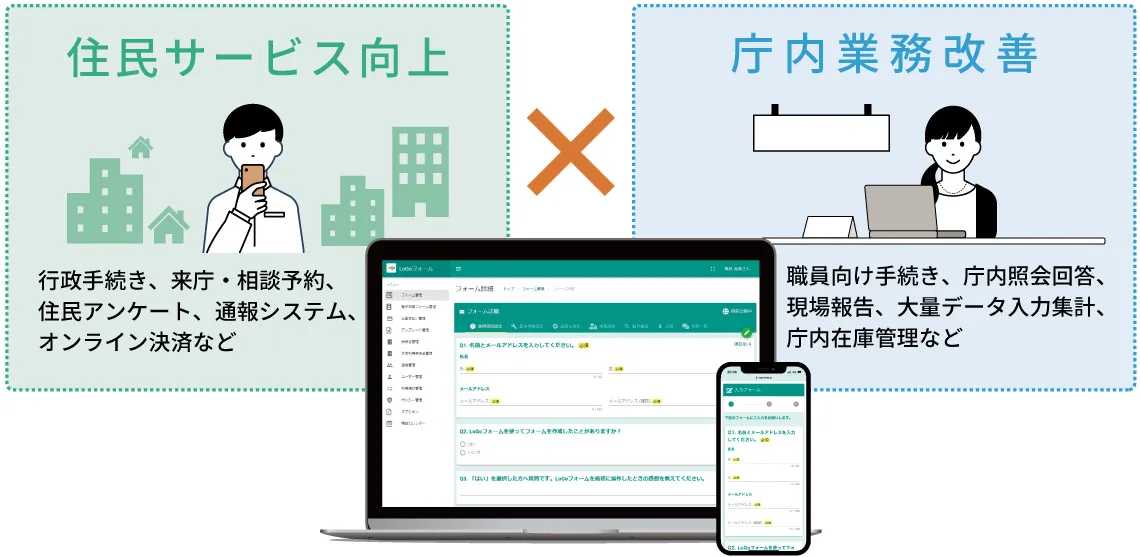
| Hino City, Tokyo, guidance for FY2026 and FY2027 | LoGo Form | Save via “Print your entries” on the submission complete screen. Logged-in applicants can print from the application list in their account dashboard, called My Page | States clearly that the city cannot help if you forget to print |
| Kita City, Tokyo | LoGo Form | Save print-ready data from the submission complete screen. Logged-in applicants can print from My Page | States clearly that the ward cannot help if you forget to print |
What this comparison shows is that applying online does not guarantee you can retrieve the same copy later. Even with similar application services, how each municipality operates and what it tells applicants are not identical.
Example: downloading a copy at the time of application
Yokohama City’s process for enrollment starting in FY2026 is an online application using Mynaportal. The official FAQ explains the steps for downloading a copy of the submitted data after applying, and notes that the receipt number is printed on the application confirmation email and on the downloaded data.
(Source: Yokohama City, “Online application for daycare use, for enrollment starting in FY2026” [Japanese])
Beginning with the first application round for enrollment in April 2027, Yokohama City plans to move to online applications using a My Number Card as the standard method. Because the procedure and required documents can change with the fiscal year, do not rely on articles about past years or a family member’s experience. Check the guidance for the year that applies to you.
(Source: Yokohama City, “For those seeking daycare enrollment in FY2027” [Japanese])
Example: printing from the completion screen or a logged-in application list
Hino City instructs applicants to keep print-ready data via the “Print your entries” option on the LoGo Form submission complete screen. A confirmation email that includes your responses is also sent. In addition, applicants who registered an account and applied while logged in can print the relevant application from the application list in My Page.
At the same time, the city states clearly that it cannot help if you forget to print. Note that the options available afterward differ depending on whether you applied while logged in or not.
(Source: Hino City, “Please read: points to note for online applications” [Japanese])
Kita City, Tokyo, also uses LoGo Form, with print-ready data saved from the submission complete screen. Logged-in applicants can print from the application list in My Page, but the ward states that it cannot help if you forget to print.
(Source: Kita City, Tokyo, “Online applications for daycare-related procedures” [Japanese])
Three things to check for your own municipality
On your municipality’s official page, look for these three points.
- What you are supposed to save at the moment of submission
- Whether you can retrieve it later from an application history or My Page
- Where to obtain the updated copy if you revise your application
Check the page’s update date and the fiscal year it covers, too. The description in search results may not match the current application method. Reading the official guidance once before you start, and checking how to save your copy, takes a lot of the worry out of the moment after you press send.
What if you forgot to save it, or cannot find it?
Even if you cannot find your copy, do not reapply straight away. Work through your device, your email, and your application history, then talk to your municipality and to whoever is receiving the documents.
Work through your device, your email, and your application history
Searching in this order saves you from checking the same place repeatedly.
- “Downloads,” “Files,” and “Recents” on your smartphone or computer
- Screenshots in your photo app
- The application confirmation email, plus spam, trash, and archive folders
- The receipt number and response details written in the email
- My Page, the application list, or the application status page on the application service
- Cloud storage or messages shared with family
For any file you find, check that it opens, that all pages are there, and that it matches the information you actually submitted. Avoid sending the same application again just because you cannot find the file. Some municipalities have set rules for how duplicate applications are handled.
The MHLW advises that if you forgot to make a copy or take a photo, you should ask your municipality whether it can provide a copy. That does not mean the municipality will always be able to. As noted above, some municipalities, such as Hino City and Kita City, Tokyo, state clearly that they cannot help if you forget to print.
(Source: Ministry of Health, Labour and Welfare, “Q&A on childcare leave benefits” [Japanese])
If the municipality cannot help, explain the situation to the office receiving your documents
Once you know the municipality cannot provide a copy, tell your HR contact early. If you plan to apply yourself, check with the Hello Work office handling your application. The municipality is the office that handles daycare applications. It is not the office that makes the final decision on whether your benefit payment period can be extended.
Having the following ready makes the conversation go more smoothly.
Sample inquiry
I applied for daycare online, but I was not able to save a full record of my application. The application date was [date], the requested start date was [date], the application service was [name], and the receipt number is [number]. What I currently have is [items]. I have already checked with my municipality about whether a copy can be obtained. Please let me know what I should check or submit next for the extension application.
Japanese version you can send as written: 保育所等の利用申込みを電子申請しましたが、申込内容全体の控えを保存できていません。申込日は〇月〇日、利用開始希望日は〇月〇日、申請サービスは〇〇、受付番号は〇〇です。現在手元にあるのは〇〇です。自治体には控えの取得可否を確認済みです。延長申請にあたり、次に確認・提出すべきものをご教示ください。
When no copy exists, how the case is handled depends on the circumstances of your application and what records remain. Do not assume that a particular email will be accepted as a substitute, and make a note of the date you asked, which office you asked, and what you were told.
Where should you submit the saved documents, and what should you check?
Once your documents are together, confirm the submission format and your company’s internal deadline with your HR contact. Obtaining a copy from the municipality and having the extension reviewed are two separate procedures.
Ask the municipality how to get it, ask your employer how to submit it
Sorting your questions by topic keeps you from approaching the wrong office.
| What you want to know | Who to ask |
|---|---|
| How to access your application history or print-ready data | The municipality you applied to |
| How to revise your application details | The municipality you applied to |
| Internal procedures for extending childcare leave | Your employer’s HR contact |
| Submission format and internal deadline for the benefit application | Your employer’s HR contact |
| Applying yourself, or checking extension requirements for your case | The Hello Work office handling your application |
The MHLW Q&A explains that the childcare leave benefits extension procedure is carried out when you file the benefit application for either the payment unit period immediately before the extension or the payment unit period after it. Check your next payment period and application date with your HR contact.
(Source: Ministry of Health, Labour and Welfare, “Q&A on childcare leave benefits” [Japanese])
Run a pre-submission check on what you have saved
Open your saved application copy and go through these items one by one.
- All pages of the application are present
- The child’s name is legible
- The application date is legible
- The requested start date is legible
- What you indicated about enrollment is legible
- The daycare facilities you applied to are legible
- If you revised your application, the updated contents are saved
- You still have the confirmation email and receipt number
- The notice of deferred or denied enrollment is saved
- The declaration form for the grounds of extension is ready
- You have confirmed the submission format and deadline with your employer
- Your family knows where the files are kept
Rather than keeping everything only on one device, you can back files up to cloud storage with access restrictions. These documents may contain your child’s name, your address, your workplace, and information connected to your My Number, so do not share them on social media or through public links.
The relief of having finished the application and the relief of having the right documents later are two different things. Digitization may have removed the trip to the counter, but the work of finding the copy, cross-checking the contents, and organizing it for each recipient still sits with the family. That is exactly why “do not forget to save it” is not enough. It is worth knowing what you need on hand to use at the next stage of the process.
Common questions about copies of online applications
Here are the points people most often get stuck on, such as having only the email, or having no way to print. For anything specific to your municipality, always check the latest official guidance.
- Is the confirmation email enough on its own?
- If the email does not let you confirm the full contents of your application, it generally is not sufficient. Keep the email as a record of the receipt number and the date and time it was received, and save a separate record of the full application contents. If the email does contain your complete responses, check with your HR contact or the Hello Work office handling your application about the submission format.
- Are screenshots acceptable?
- The MHLW Q&A advises making a copy or taking a photo in the case of paper applications. For online applications, what is specified is a printout of the application contents or of the screen on which you applied. If you use screenshots, check that all pages and the required items are legible, and confirm with the office receiving your documents whether image files can be submitted as they are.
(Source: Ministry of Health, Labour and Welfare, Prefectural Labour Bureaus and Hello Work, “From April 2025, the procedure for extending the childcare leave benefit payment period when a child cannot be enrolled in daycare is changing” [Japanese]) - Is the page listing my preferred facilities enough?
- No. The MHLW states that all pages of the daycare application are required. Save the full application contents, including the child’s name, the application date, the requested start date, and what you indicated about enrollment, not just the page with your preferred facilities.
(Source: Ministry of Health, Labour and Welfare, “Q&A on childcare leave benefits” [Japanese]) - Can it be reissued if I forgot to save it?
- There is no single answer. Check your device, your confirmation email, and your application history, and if you still cannot find it, ask your municipality whether it can provide a copy. The MHLW does advise consulting your municipality, but some municipalities, such as Hino City and Kita City, Tokyo, state that they cannot help if you forget to print.
- What if I revised my preferred facilities after applying?
- Keep the before and after copies separately, in a form that shows the dates. For the childcare leave benefits extension, a copy of the updated application is required. Check with your HR contact or the Hello Work office handling your application about which change documents to submit and in what format.
(Source: Ministry of Health, Labour and Welfare, Prefectural Labour Bureaus and Hello Work, “From April 2025, the procedure for extending the childcare leave benefit payment period when a child cannot be enrolled in daycare is changing” [Japanese]) - What if I do not have a printer?
- Start by saving print-ready data such as a PDF, then check whether the office receiving your documents accepts digital submissions. If you need to submit on paper, convenience store print services are an option. Hino City also points applicants without printing equipment at home toward convenience store print services.
(Source: Hino City, “Please read: points to note for online applications” [Japanese]) - Do I submit these to city hall?
- Daycare applications go to your municipality, but childcare leave benefit applications normally go to Hello Work through your employer. Start by checking the submission format and your company’s internal deadline with your HR contact. If you are applying yourself, check with the Hello Work office handling your application.
The convenience of an online application cannot be judged by the moment you press send. It becomes something that genuinely supports a family only when you can pull up what you submitted when you need it, and use it for the next stage of the process without getting lost. If you have already applied, open your saved copy today and check that every page is readable.
Note: This article is based on information published as of September 11, 2026. Application methods and required documents vary by municipality, by fiscal year, and by individual circumstances. For the latest information, check with your municipality, your employer, and the Hello Work office handling your application.
