


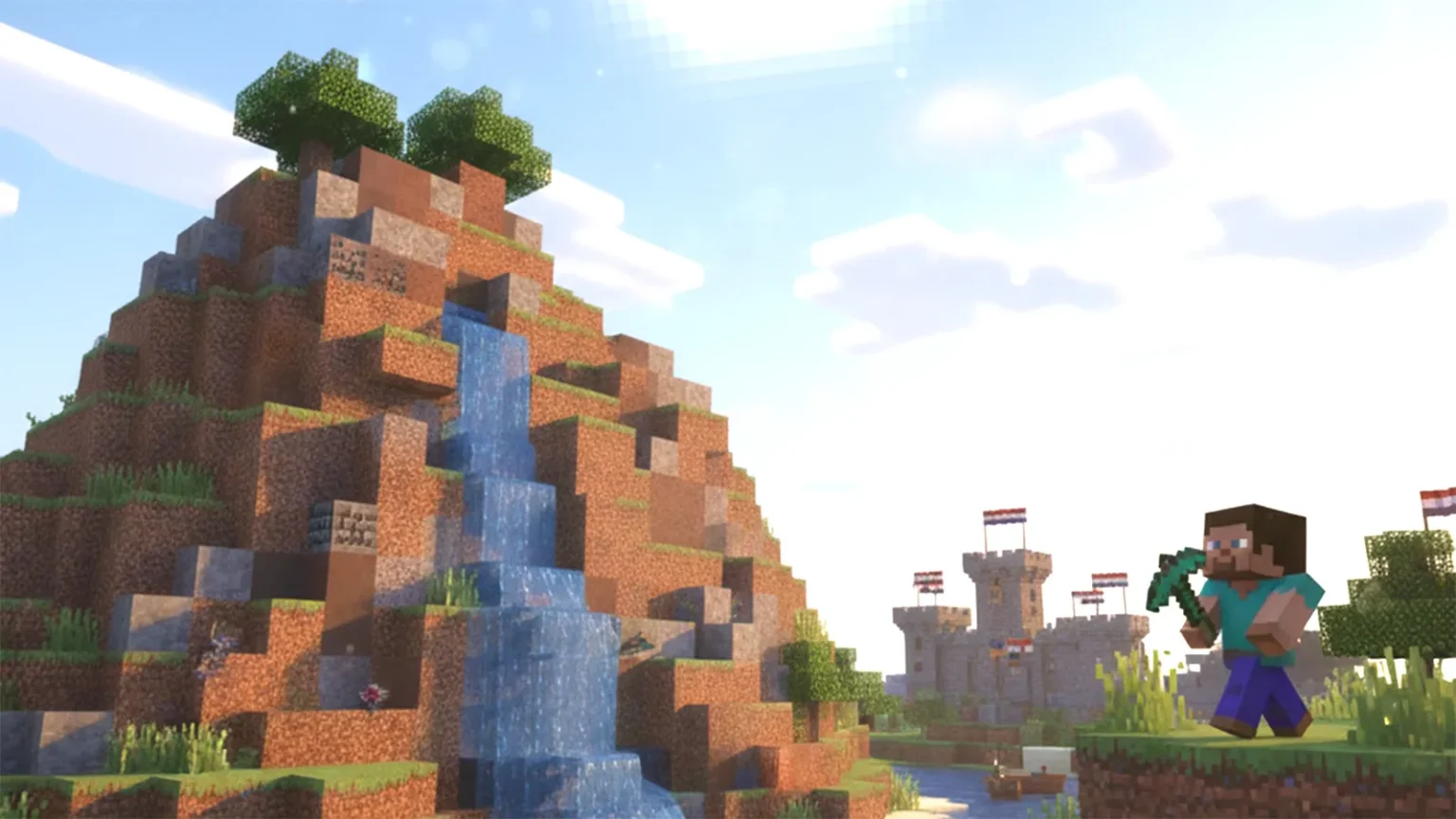
Minecraft, a game loved by children around the world, goes far beyond mere entertainment—it’s gaining attention as a powerful learning tool. As players combine blocks to build worlds, they naturally develop creativity, logical thinking, and problem-solving skills. This is the game’s greatest appeal.
At the same time, there are important safety considerations, including online features and in-game purchases. This article explains, in an easy-to-understand way, the educational benefits parents should know about, the latest 2025 update information, and a guide to enjoying Minecraft safely and confidently.
Table of Contents
What is Minecraft?

The simple controls and wide creative possibilities make it loved by people of all ages, from children to adults. In educational settings, Minecraft is used to develop “computational thinking” and “collaborative learning,” making it an increasingly recognized teaching tool for deeper learning through gaming.
This section introduces Minecraft’s appeal and characteristics, as well as the differences between the standard version and the Education Edition.
A Game Where You Create Worlds with Blocks
The defining characteristic of Minecraft is that “everything is made of blocks.” Players can stack and remove cubic blocks to freely create anything they imagine—houses, cities, vehicles, and circuits.
There are two main game modes: “Survival Mode,” where you gather materials and enjoy survival gameplay, and “Creative Mode,” where you can build freely using unlimited resources. As children shape their imagination into reality, they naturally develop spatial awareness and problem-solving abilities.
In multiplayer gameplay, children learn cooperation with others and role distribution, making it ideal for introducing team activities. To play safely, it’s reassuring to set up friend management and chat restrictions when playing online.
Why Minecraft Appeals Across All Ages
Minecraft’s popularity across age groups comes from its simple rules and the freedom to set your own objectives. Young children enjoy the combinations of colors and shapes, while elementary school students showcase imagination through building and exploration.
As children reach middle school, high school, and adulthood, many begin applying architectural design and Redstone (electrical circuitry) mechanics, enjoying computational thinking. Additionally, through multiplayer functionality, family members and friends can share the same world and interact, creating connections that transcend age differences. This cross-generational appeal is truly special.
From an educational perspective, Minecraft contains many elements that develop creativity, logical thinking, and cooperation in a balanced way, with learning and play naturally merging. Because objectives are open-ended, there’s always something new to discover no matter how many times you play. It’s a game that captivates people across generations.
Understanding the Difference Between Standard and Education Editions
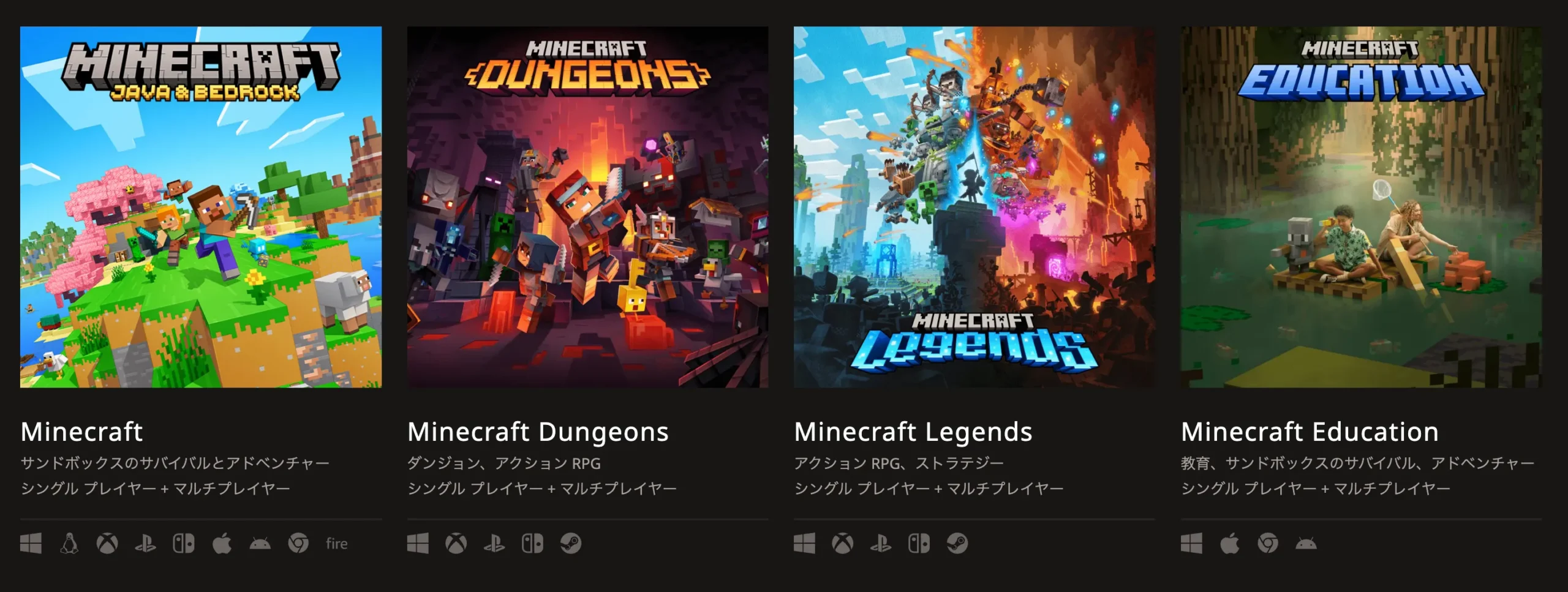

- The Standard Edition emphasizes entertainment with free play and multiplayer as primary features, offering diverse ways to enjoy the game including building, exploration, and combat.
- The Education Edition is designed for classroom use and is applied to programming education, science experiments, and historical recreations. Using the “Code Builder” feature, students can learn programming fundamentals by moving blocks around, making it ideal for introducing STEM education (Science, Technology, Engineering, and Mathematics). The Education Edition is accessible through Microsoft 365 education accounts, and includes features that allow teachers to manage class progress. It uniquely combines play with learning.
Essential Knowledge for Parents
Minecraft is celebrated as a tool that nurtures creativity, yet parents often wonder: “When can my child start playing?” “Is it safe?” “Do I need to worry about spending?” In reality, because the game offers such freedom, parental support tailored to your child’s age and family rules is important.
This section explains key points for safely incorporating Minecraft into your home, covering appropriate starting ages and preparation, safe settings, and ways to prevent unexpected charges.
Recommended Age and How to Get Started (From What Age?)
Japan’s Rating System
CERO: A (Suitable for All Ages)
“All ages” means anyone can play regardless of age.
International Recommended Ratings
PEGI: 7 (Ages 7 and up)
ESRB: E10+ (Ages 10 and up)
These are recommendations, not strict age restrictions for play.
Actual Gameplay Considerations
Beyond age, a child’s comfort with controls and understanding of game content is important.
For preschoolers, playing together with a parent in Creative Mode is recommended.
Children under 13 require parental consent to activate a Microsoft account.
For preschool through early elementary ages, it’s best to focus on “creation-oriented” play with parental guidance. Start with Creative Mode and enjoy building and exploration in a safe environment without enemies. Once they reach elementary school age, they can challenge Survival Mode with material gathering and tool crafting, developing planning skills and problem-solving abilities.
When introducing Minecraft at home, first choose an easy-to-use device like a smartphone, Switch, or tablet. Taking time to review controls and objectives together creates a secure environment for continued play. Once comfortable, try sharing a world with your child to play cooperatively, which naturally opens doors to communication.
Safe Settings and Supervision Tips
Since Minecraft has online features, safety varies greatly depending on your settings. Three key adjustments to make are “multiplayer restrictions,” “chat restrictions,” and “friend approval requirements.” Ensure your child doesn’t connect with strangers by managing these features from your parental account.
Particularly for Switch and mobile versions, using Microsoft account “Family Settings” lets you adjust playtime limits and spending ranges in detail. To prevent extended play sessions, establishing clear household rules like “30 minutes per session” or “one hour daily on school nights” is effective, and setting break reminders together helps reinforce these boundaries.
When supervising, show genuine interest by asking “What are you building?” Communication-based supervision, rather than strict monitoring, transforms gaming into a tool for parent-child connection.
Preventing Unexpected Expenses
While Minecraft is fundamentally a one-time purchase game, there’s a “Marketplace” where players can buy additional content, skins (character costumes), and worlds. These are fun and convenient, but without careful spending management, unexpected charges can occur.
Parents can protect themselves by:
- Requiring a password for all purchases
- Restricting spending to prepaid cards or gift codes
- Disabling credit card registration on child accounts
When using Education Edition through school, content is typically covered under school licensing, eliminating home expenses. Learning about money management with your child—”spending money means considering value”—becomes a valuable life skill. Set clear household spending rules and create an environment where your family can play worry-free long-term.
2025 Latest Updates: Top 3 Minecraft Collaborations
In 2025, Minecraft experienced major partnerships—from film releases with fast-food tie-ups to in-game DLC and gaming peripherals—expanding how people engage with the game. Collaborations rolled out across food, entertainment, and hardware sectors simultaneously, expanding enjoyment both at home and in schools.
Here we highlight three major collaborations—”Movie × McDonald’s,” “In-Game × Dragon Ball Z,” and “Hardware × Razer”—with key information worth noting for parents and educators.
Limited-Time “The Minecraft Movie McDonald’s Happy Meal” Collaboration
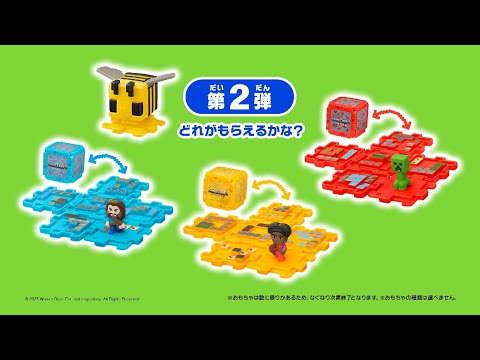
Available in the United States and United Kingdom/Ireland starting March 26, with Japan’s Happy Meal launching May 16. This promotion connected the movie experience with everyday dining moments.
Popular Anime In-Game Collaboration: “Dragon Ball Z DLC” Release
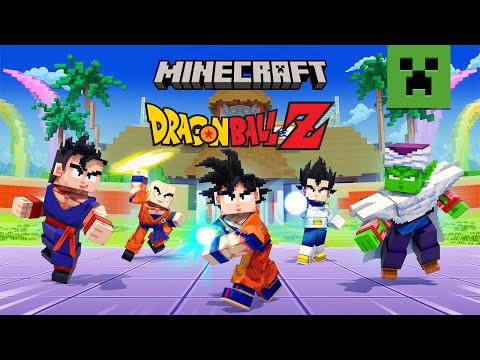
The appeal lies in recreating original anime scenes “with your own hands” using signature attacks like Kamehameha and Galick Gun. Difficulty and game modes are easily adjustable for home use—younger players can focus on exploration while advanced players tackle boss battles, cooperative tournaments, or 5v5 matches scaled to their skill level. When using online features, set friend and chat restrictions for safe enjoyment.
Family-Friendly Dessert Collaboration: “Baskin-Robbins Ice Cream Cake”
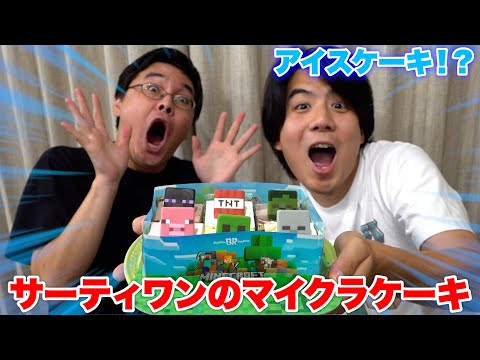
With an included pick for creative decoration, children can play creatively while eating. Priced at ¥4,000 (tax included) and sized around 16.5×11cm, it’s perfect for families. When ordering, confirm any food allergies and check storage and thaw time guidelines. It also makes a special birthday or celebration dessert.
How Minecraft Supports Child Development
Minecraft is a prime example of “learning through play” as a digital educational tool. Through free creative activities, it develops creativity, logical thinking, and cooperation—essential life skills. The process where children discover challenges, tackle them through trial and error, and find solutions becomes learning itself. This section explores how Minecraft supports growth and why it’s increasingly recognized in education from three key perspectives.
How Creativity and Problem-Solving Naturally Develop
In Minecraft, children set their own objectives—gathering materials to build a house or creating tools to explore. Without predetermined instructions, they naturally think “what’s the best way?” and enjoy trial-and-error experimentation.
For example, experimenting with roof shapes or building mechanisms using water and light flow gradually sharpens creativity through repeated thinking and doing. The environment’s allowance for quick rebuilding after failure encourages risk-taking.
This “experience of rethinking without fearing failure” is crucial for developing problem-solving abilities. Furthermore, building structures and cities requires logical sequencing, naturally developing planning skills and structural thinking.
Perfect Introduction to Computational Thinking
Minecraft incorporates features for learning programming basics. Especially in Education Edition, the “Code Builder” feature lets students move blocks as commands to operate characters or perform automated construction.
This enables children to naturally understand fundamental programming concepts like “sequence,” “repetition,” and “conditional branching” through play. For instance, a task to build a house by connecting commands like “move 10 steps forward” and “turn right” develops logical thinking and prediction skills.
Elementary students can operate it visually, so literacy isn’t required. When introducing at home, trying it together first helps share learning interest.
Learning Through Collaborative Creation
In Minecraft, multiple players can share one world and work toward common goals. For example, one person designs while another gathers materials, and through role division and cooperation, teamwork and responsibility naturally develop.
When conflicts arise, discussion and compromise build communication skills. Schools use Minecraft for group city-building projects and collaborative problem-solving learning.
At home, playing with siblings or friends becomes an opportunity to learn empathy and dialogue’s importance. Sharing “thank you” and “that helped” during cooperation translates into social growth beyond the game itself.
Why Minecraft is Used in Classroom Education
Education Edition serves as a learning tool that naturally draws out the experience of “thinking independently, acting with hands, and learning cooperatively with peers.” Rather than memorizing textbook knowledge, students experience concepts firsthand through virtual trial and error—this is its educational value.
In classrooms, the flow of challenge-setting, planning, creation, and reflection integrates naturally, aligning well with active learning. This section explores why adoption is growing, curriculum applications, and expected learning outcomes.
Growing Number of Schools Adopting Education Edition

- ① Device environment preparation (widespread 1:1 device availability)
- ② Lesson design ease (enriched templates and teacher guides)
- ③ Easy assessment and reflection (screenshot portfolios and work sharing)
Teachers distribute worlds (lesson scenarios) matching learning goals and visualize progress. Students learn while preserving their thinking process through building, observation, and documentation. It supports personalization—advanced students tackle complex design and automation while beginners solidify fundamentals using models.
Home-school connections also work smoothly, making review and extension activities easier—another factor driving school adoption.
Deepening Math, Science, and Social Studies Learning
In math, students experience volume, area, ratios, proportions, and coordinates through “creating and measuring” activities. Example: designing buildings with identical volume but different shapes and comparing material efficiency.
In science, students explore light patterns, water flow, and circuit mechanics (Redstone), experiencing the hypothesis-experiment-reflection cycle. In social studies, students recreate regional geography and historical structures, considering transportation and disaster prevention in city planning. All emphasize “defining purposes and finding optimal solutions within constraints,” building critical thinking. Students submit work through screenshots, explanation videos, and labeled signage, then present to other groups—strengthening communication and argumentation skills.
Actual Learning Outcomes (What Data Reveals)
Case studies of Education Edition use report improved task engagement, better content retention, and increased speaking during collaborative moments. Particularly, lessons combining clear learning targets with reflection sheets show more stable self-assessment quality.
Keys to maximizing effects are:
- ① Clearly documenting the relationship between learning objectives and activities
- ② Pre-sharing assessment criteria (knowledge/skills, thinking/judgment/expression, active attitude)
- ③ Visualizing process (design sketches, progress, final product)
Rather than relying on gameplay fun alone, using rubrics to articulate learning ensures solid achievement and skill development.
Important Safety and Troubleshooting Considerations
While Minecraft offers great freedom and educational potential, its online features and spending mechanics can create problems if misused. Particularly when children play alone, risks include connecting to inappropriate servers, excessive playtime, and unintended purchases. Parents establishing settings and rules beforehand ensures a safe, enjoyable experience.
This section covers three key safety points for responsible Minecraft play.
Protecting Against Inappropriate Servers and Content
Minecraft has numerous “servers” (online play areas) created by players worldwide. However, some contain profanity and inappropriate content, risking trouble if children join freely.
For safety, use only trustworthy environments like “official servers” or “education-exclusive servers.” Disabling multiplayer in settings or setting friend restrictions is also effective. Microsoft account’s “Family Safety” feature manages chat and friend requests, preventing stranger contact.
When installing MODs (add-on content) from YouTube, limit downloads to official stores with verified sources; avoid third-party sites. Teaching children rules like “don’t play with strangers” and “avoid suspicious websites” provides the most effective safety education.
Screen Time Management and Break Balance
Minecraft is highly immersive, making players lose track of time. Extended play risks eye strain, posture problems, and disrupted sleep schedules.
Ideal playtime is about 20-30 minutes per session for preschoolers and around one hour daily for elementary students. Deciding “ending time” before starting makes promise-keeping easier. Setting “Screen Time” and “Parental Controls” on parent devices enables automatic limits. Setting break reminders every 30 minutes for hydration and stretching is also effective.
Evening play delays sleep due to blue light effects, so end play one hour before bedtime. Turning off into communication—”after playing, let’s share and discuss what you made”—naturally builds on-off switching habits.
Preventing In-Game Purchase Problems
Minecraft is a one-time purchase, but the “Marketplace” sells skins, worlds, and add-ons. Children might accidentally purchase from a single button press, requiring parental oversight.
Essential steps are:
- Making password entry mandatory for purchases
- Turning on “purchase restrictions” for child accounts
- Limiting payment to prepaid cards or gift cards
These prevent unwanted automatic credit card charges. Developing spending awareness by asking “How much is this item?” and “Do we really need it?” builds financial literacy. Schools using Education Edition include all content in licensing—no extra costs apply. Balance gaming freedom with household rules, sharing safe digital experiences as a family.
Conclusion
Minecraft is far more than a game—it’s a digital educational tool combining “learning,” “creation,” and “cooperation.” From simple block-stacking operations, children naturally develop logical thinking, spatial awareness, and collaboration skills.
With growing Education Edition adoption in schools, safer, more integrated home learning environments are developing. Meanwhile, parents have clear support responsibilities regarding safety and spending settings. Through household rule-setting and supervision, treasure moments where play reveals learning.
Minecraft is the ultimate stage where children develop “thinking,” “creating,” and “communicating” abilities. Explore that world together with your child and celebrate their growth.


